Medita
A quiet editor for Markdown. A sharper reader for your ideas.
Medita's AI companion runs entirely on your Mac — no account, no subscription, no data sent anywhere. Your writing stays yours.
Buy Medita — $XX

Why I built this
Almost everything I write lives in Markdown. My website runs on it. My academic papers start in it. My tutorials and class materials for Moodle are drafted in it before export. When I'm documenting a synthesis patch or writing up a workshop on spatial sound, it's Markdown.
Over time I found myself constantly switching between tools — one for writing, another for export, another for the occasional audio embed when a piece of text needed to live alongside a sound file. None of them were built for the way I work: a composer and sound artist who also writes code, teaches, and publishes.
Medita is the editor I wanted. It stays out of the way while you write, handles audio embeds as a first-class citizen alongside images, and exports to clean HTML or DOCX when you're done. Apple Intelligence writing tools are one click away when you need them. Nothing more.
What it does
Medita keeps the writing experience minimal while covering everything a serious writer needs.
Write in Markdown with ATX (# Heading) or Setext (Heading\n===) heading styles, switchable at any time. Full support for bold, italic, underline, blockquotes, lists, code blocks, horizontal rules, and links.
Embed images and audio using a clean syntax inspired by Pandoc. Drop any image or audio file directly onto the editor and it inserts the correct snippet automatically:

@[Dawn chorus, recorded at 5:14 am](/path/to/audio.wav)
Audio embeds render as a native <audio> player on export — useful for sound designers, musicians, and anyone writing documents that live alongside media.
Export to HTML or DOCX. The HTML export produces a clean, self-contained document with all styles inlined — no external dependencies. The DOCX export uses proper heading styles, so your document arrives in Word already formatted.
An AI writing companion built for serious work. Hit Review and Medita reads your draft the way a careful reader would — identifying logical inconsistencies and unsupported claims, structural gaps, and arguments that work against themselves. It runs entirely on your machine, offline, with no data leaving your computer.
Au:tosave kicks in silently every five seconds once a file has been named, so you never lose work.
Example export
Here is a sample document written in Medita and exported to HTML — a short field recording journal entry using headings, bold and italic text, a blockquote, an image, and an audio embed.
# Field Notes — March
## Dawn chorus, old-growth forest
I arrived before sunrise, while the fog was still **dense enough to muffle footsteps**. The forest sounded different — closer, more contained. By 5:14 am the birds had started, layered and overlapping in a way that no single recording can fully resolve.
> The acoustics of an old-growth forest are unlike anything a room can reproduce. The canopy acts as a diffuser; the ground, wet with dew, as an absorber. What reaches the microphone is already a mix.
I set up two cardioid microphones in an *ORTF configuration*, about two metres off the ground, pointing into the canopy. The recording ran for forty minutes. The excerpt below captures the first wave of activity just after first light.

@[Dawn chorus recorded at 5:14 am — ORTF, 40m excerpt](/path/to/dawn-chorus.wav)
Field Notes — March
Dawn chorus, old-growth forest
I arrived before sunrise, while the fog was still dense enough to muffle footsteps. The forest sounded different — closer, more contained. By 5:14 am the birds had started, layered and overlapping in a way that no single recording can fully resolve.
The acoustics of an old-growth forest are unlike anything a room can reproduce. The canopy acts as a diffuser; the ground, wet with dew, as an absorber. What reaches the microphone is already a mix.
I set up an Ambisonics microphone, about two metres off the ground, to capture the sound field. The recording ran for forty minutes. The excerpt below captures the first wave of activity just after first light.
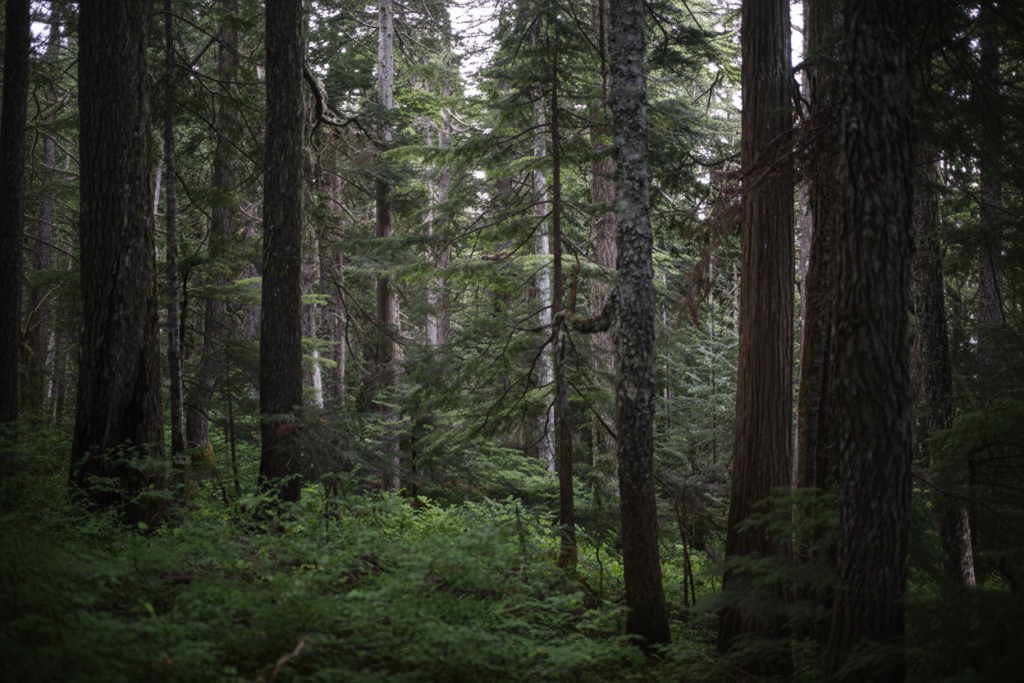 Morning mist filtering through the canopy, old-growth forest
Features at a glance
- Pandoc-style Markdown (ATX and Setext heading modes)
- Audio embed support —
@[label](path)renders as a captioned player on export - Image embed with drag-and-drop
- Export to clean HTML and DOCX
- On-device AI review — logical inconsistencies, unsupported claims, structural feedback
- Four editor fonts: Lora, JetBrains Mono, Inter, Atkinson Hyperlegible
- Light, dark, and system-native themes
- Autosave every 5 seconds
- Word count
- Quick command window (F2)
- Keyboard shortcuts for all formatting
- No internet connection required
System requirements
- macOS 10.15 Catalina or later
- 4.9 GB of available disk space required for the AI assistant (one-time download)
- No internet connection required — your writing never leaves your machine
License
Medita is sold as a one-time purchase. Your license covers installation on up to two personal devices. No subscription, no expiry.
Questions? See contact info below