MiniStep is designed exclusively for the AKAI APCmini mk2. It will not function with other controllers — please confirm you have the mk2 version before purchasing.
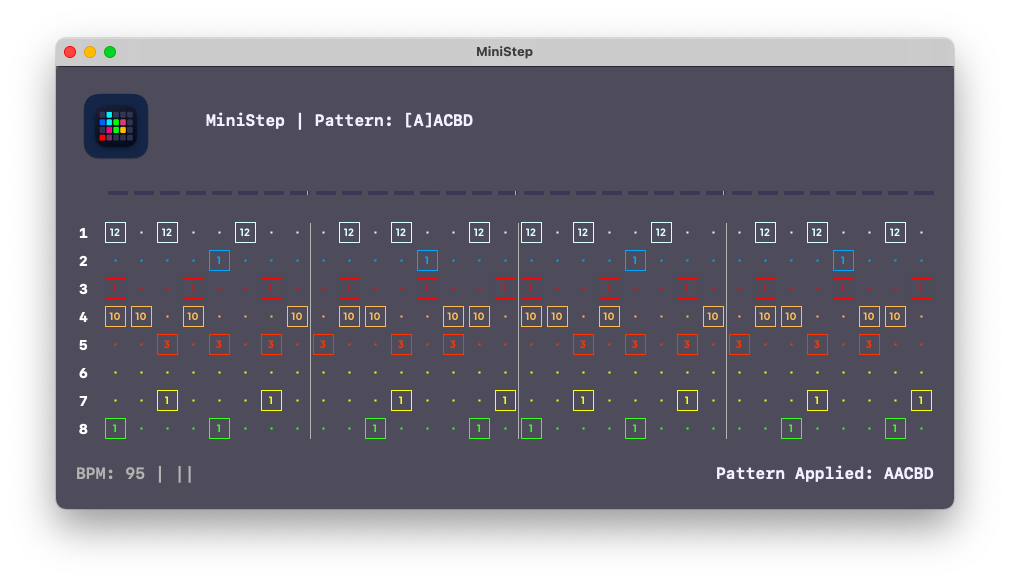
Why I built this
I wanted a step sequencer that lived entirely on the hardware in front of me — no DAW open, no mouse, no menus. The APCmini mk2 has an 8×8 grid, eight faders, and a row of transport buttons. It's a perfect sequencer waiting to be unlocked.
Most software treats MIDI controllers as remote controls for something else. MiniStep turns the APCmini mk2 into the instrument itself. You program steps directly on the pads, navigate pages with the page buttons, and chain patterns without ever touching a screen. When you do glance at the interface, it shows you exactly what's happening — nothing more.
What it does
8 tracks, 32 steps. Each sequence holds 8 drum tracks across 4 pages of 8 steps each — 32 steps total per sequence. Navigate pages with the Volume, Pan, Send, and Device buttons on the hardware.
Store and recall up to 8 sequences. Preview a sequence with the up/down arrows before committing — the pads dim during preview so you know you're auditioning, not playing. Press Play to load. Sequences are saved as JSON and can be edited in any text editor.
Pattern chaining. Hold Shift and press any page button to enter chain mode. Program the order sequences should play, and MiniStep transitions between them automatically at the end of each cycle. Each page button can hold its own chain.
Ableton Link sync. MiniStep connects to any Link-enabled application on your local network — Ableton Live, Logic Pro, VCV Rack, iOS apps — and locks to the shared tempo and beat grid. No cables, no configuration.
9 faders sending MIDI CC. All nine hardware faders send continuous controller messages on CC 0–8, ready to map to filter cutoffs, send levels, or whatever your drum instrument needs.
Velocity per step. Hold Shift and press any active step to adjust its velocity. Values are displayed in the interface.
Printable sequence sheets. Generate a printed grid of any sequence or all eight at once — useful for session notes, collaboration, or just keeping a paper record of a pattern you like.
Hardware layout
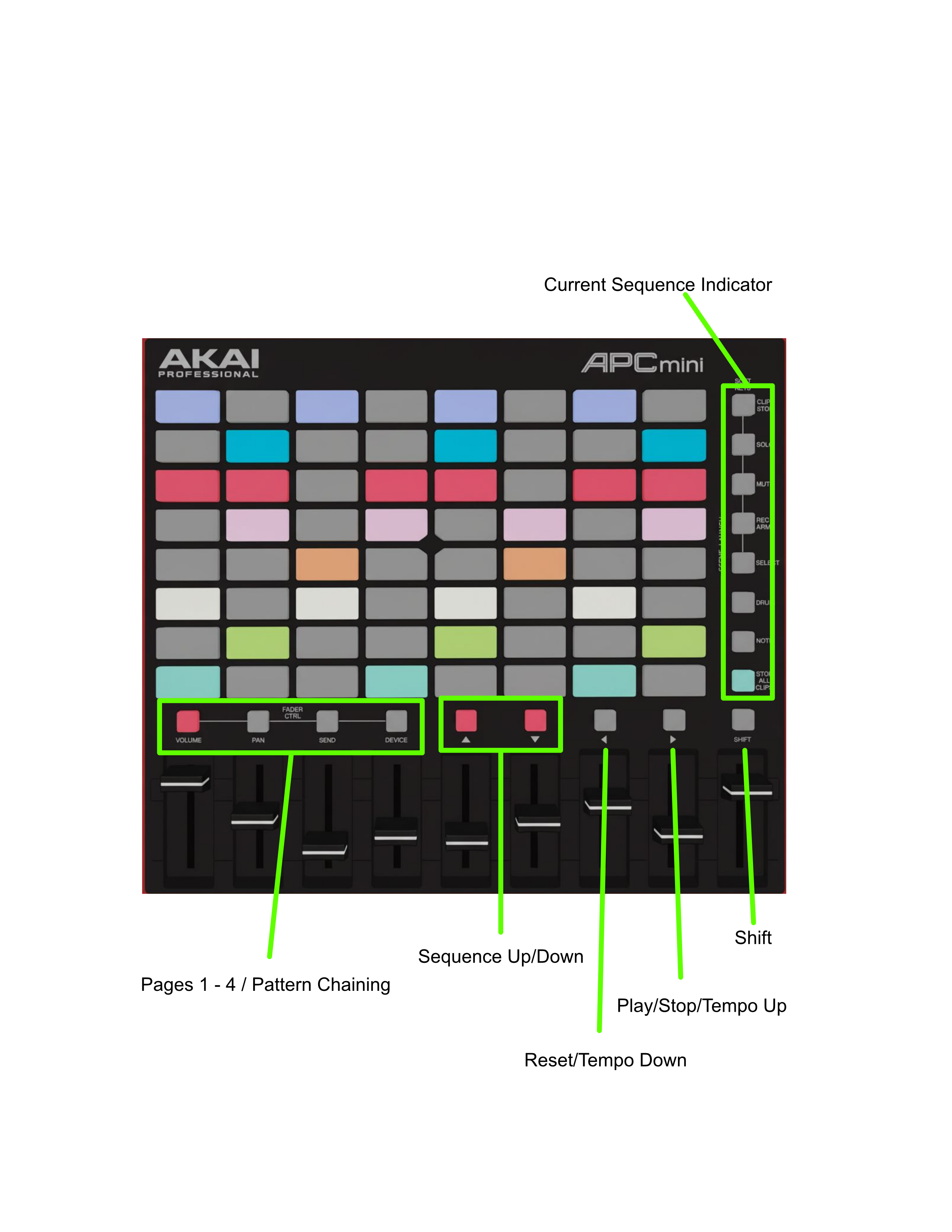
The 8×8 pad grid maps directly to tracks and steps. Each row is a drum track; each column is a step within the current page. Lit pads are active steps; dark pads are silent.
The right-hand column of scene buttons shows which sequence slot is currently loaded. The transport buttons below the grid handle play, stop, reset, and sequence navigation. Shift unlocks a second function on most controls — tempo adjustment, chain mode, and velocity editing.
Setup
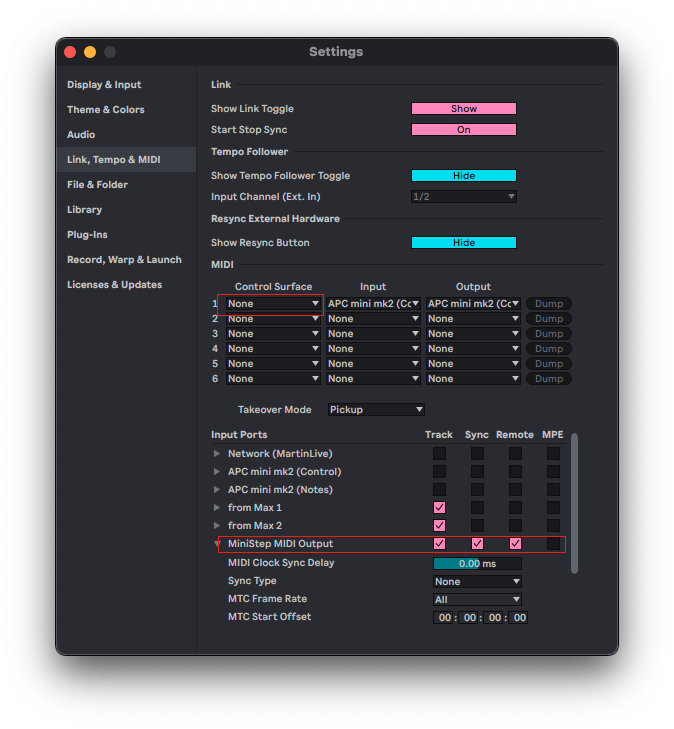
Before launching MiniStep, disable the APCmini mk2 as a control surface in Ableton Live (MIDI preferences → Control Surface → None). Leave the Input and Output set to the device. MiniStep creates its own virtual MIDI port — set your drum instrument to receive from MiniStep MIDI Output.
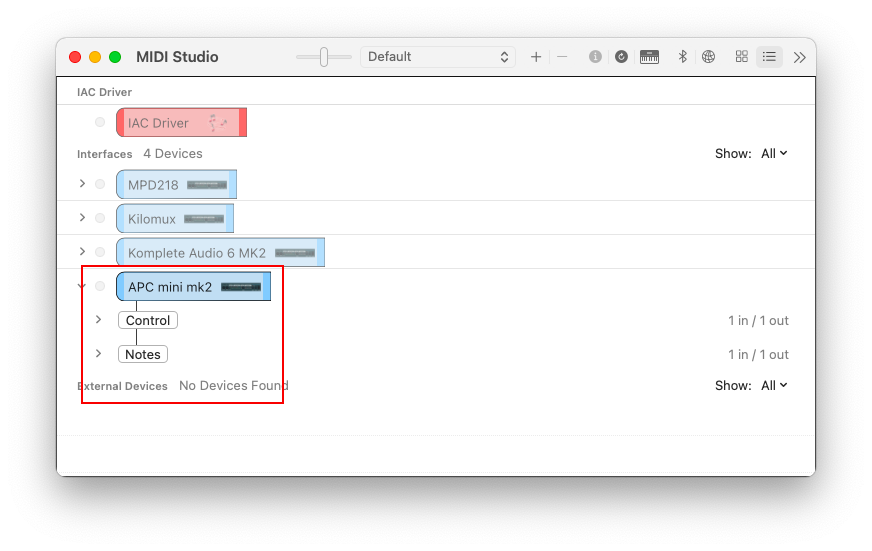
Connect the APCmini mk2 via USB before opening MiniStep. Once the app launches, the Volume and Stop All Clips buttons will light to confirm the connection. The virtual MIDI device appears in your DAW's input list immediately.
Sequence documentation

The print function generates a clean grid showing all 32 steps across all 8 tracks, with tempo and sequence metadata. Print a single sequence or all eight at once for a full session overview.
Features at a glance
- 8 drum tracks × 32 steps (4 pages × 8 steps)
- 8 sequence storage slots with preview before load
- Pattern chaining — program sequence order per page
- Ableton Link sync — tempo, transport, and beat alignment
- 9 faders sending MIDI CC 0–8
- Per-step velocity editing
- Customizable track and transport colors
- Printable sequence documentation
- Sequences saved as JSON
- macOS only — no internet connection required
System requirements
- macOS 11.7 or later
- AKAI APCmini mk2 (required — mk1 and other controllers are not supported)
- No internet connection required for sequencing; local network required for Ableton Link
License
MiniStep is a one-time purchase. Includes lifetime updates and a comprehensive PDF manual.
Buy MiniStep — $29{.buy-btn}
Questions? Visit our Support